

How to publish timetables to BODS.
A step-by-step guide to getting your bus timetables onto the Bus Open Data Service, and keeping them there.
What is BODS?
The Bus Open Data Service (BODS) is the Department for Transport's service for publishing bus data in England. Local bus operators publish their timetables, fares and bus locations there, and anyone, from journey planning apps to local authorities, can use that data for free.
Timetables are published as TransXChange files. Fares use NeTEx, and live bus locations use SIRI-VM. This guide covers timetables.
Who has to publish
Operators of local bus services in England are required to publish their data on BODS under the Public Service Vehicles (Open Data) (England) Regulations 2020. Check the official guidance on GOV.UK for exactly what applies to your services.
Publishing timetables, step by step
- Create a publisher account. Sign up on BODS for your organisation and add the people who will publish.
- Get your timetables into TransXChange. Each registered service needs a TransXChange file following the UK PTI profile, with NaPTAN stop codes, running times and the days each journey runs.
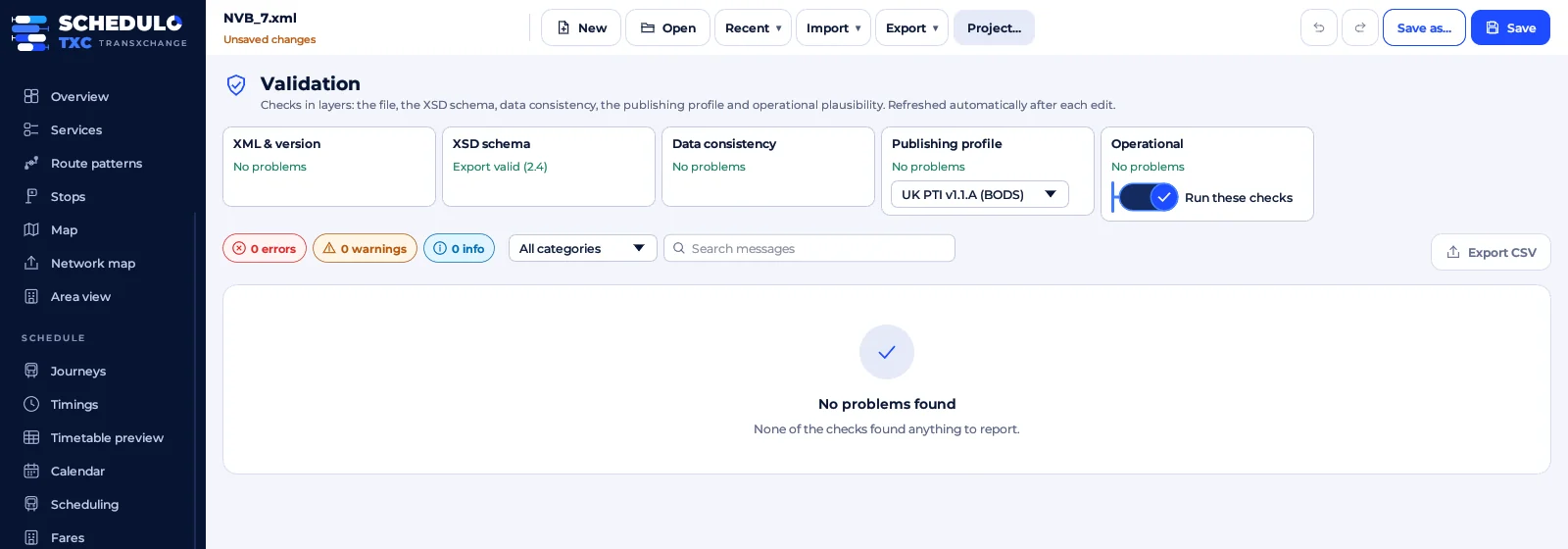
- Check the files before you upload. Validate them against the TransXChange schema and the PTI rules, and fix anything reported. This is where most rejected uploads can be avoided.
- Upload or link your data. Upload a file or a zip of files, or give BODS a web address it can fetch them from.
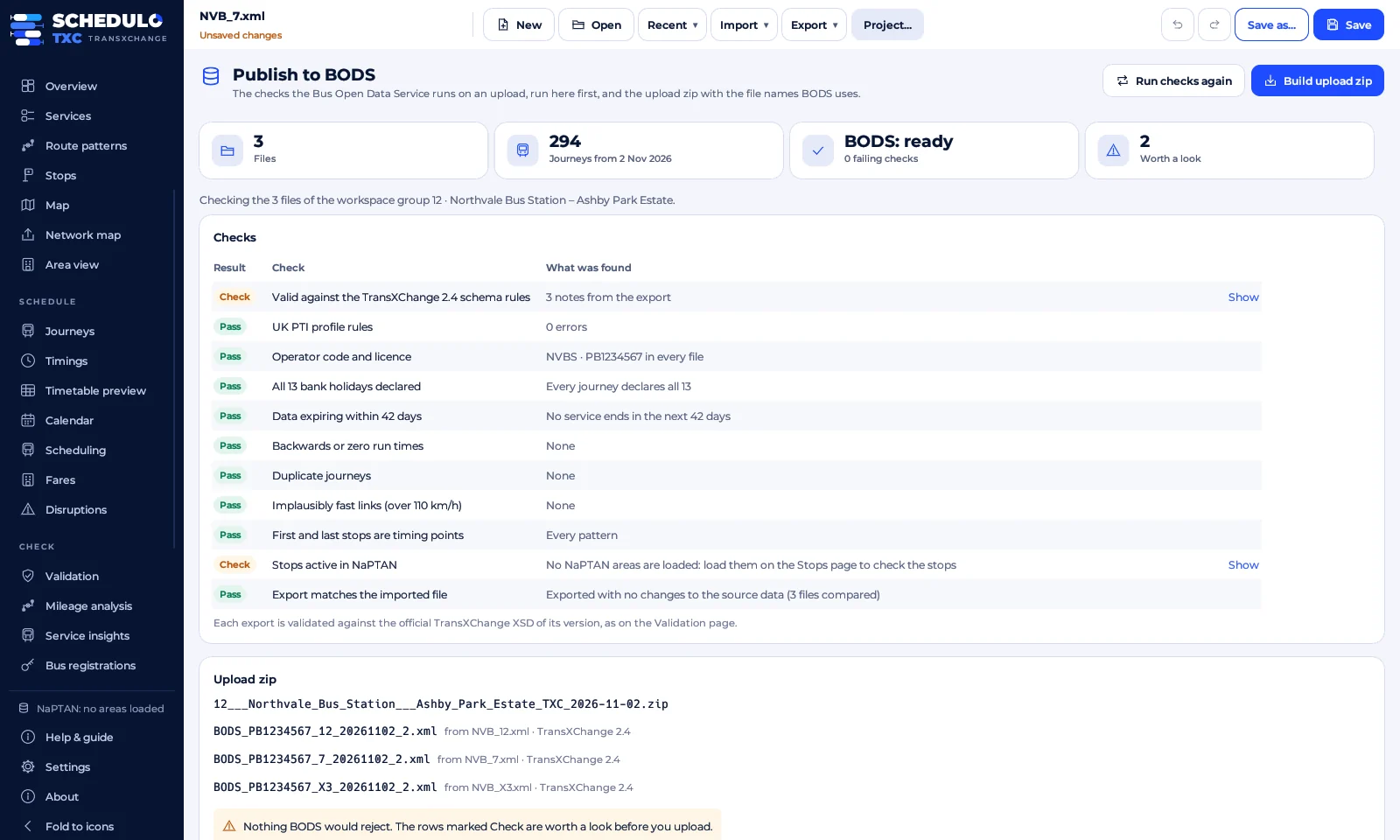
- Review the data quality report. BODS checks what you send and reports problems such as missing stops, journeys with no days, or data that is about to expire.
- Keep it up to date. Publish again whenever a timetable changes, before the change takes effect, and before the current data runs out.
Common reasons timetables fail
- A stop code isn't in NaPTAN, or has been changed since the file was made.
- Journeys with no operating days, or days that contradict each other.
- Missing or zero running times between stops.
- Service dates that have already ended, so the data has expired.
- Duplicate journeys, or journeys on the same line that overlap by mistake.
- Files written in a non-standard way that other software can't read.
Tip: put a reminder in the diary a few weeks before each timetable's end date. Expired data is one of the most common problems BODS reports, and it's the easiest to avoid.
Making it quicker with Schedulo TXC
Schedulo TXC was built for exactly this job. It opens your existing TransXChange files or imports your services from BODS, checks them against the official schema and the UK PTI profile, and explains each problem in plain English, taking you straight to the stop or journey concerned. It reminds you before data expires, publishes to BODS, and then shows how the timetable actually runs with live punctuality from BODS.
Official sources
Ready to plan smarter?
Ask for a demonstration, a trial or a licence key, or tell us what your operation needs. Every message goes to the right person at Newey Transport Services, and we reply by e-mail.
- Demonstrations and general questions
- ContactUs@schedulo.uk
- Licence keys and renewals
- Licence@schedulo.uk
- Help with Schedulo TXC, Bus or licensing
- Support@schedulo.uk
- News and updates
- Follow Schedulo on LinkedIn