

What is TransXChange?
The UK standard for bus timetable data, explained in plain English for operators and planners.
TransXChange in one sentence
TransXChange (often shortened to TXC) is the UK's standard XML format for describing local bus routes and timetables, so that one file can be read by registration systems, journey planners and open data services alike.
It is published by the Department for Transport. Bus operators use it to register services electronically with the Traffic Commissioners, to share timetables with local authorities, and to publish their timetables on the Bus Open Data Service (BODS).
What's inside a TransXChange file
A TransXChange file describes one or more bus services in a structured way. The main parts are:
- Operator and service details: who runs the service, its line numbers, its registration and the dates it runs between.
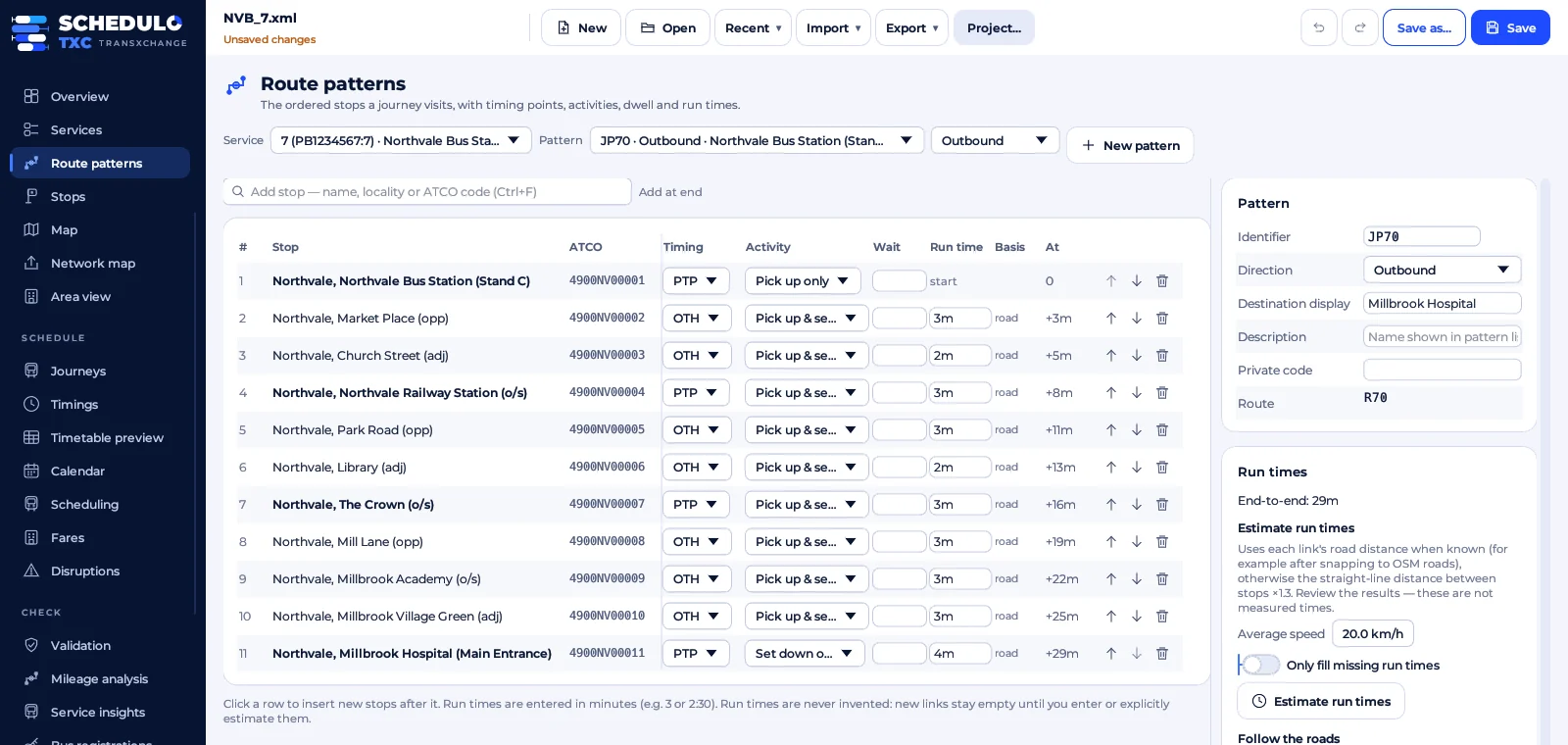
- Stops: every stop the buses call at, identified by its NaPTAN code, the national reference for UK public transport stops.
- Routes and route sections: the path the bus takes between stops, which can include the track on the road.
- Journey patterns: the order of stops a group of journeys follows, with running times between each pair of stops.
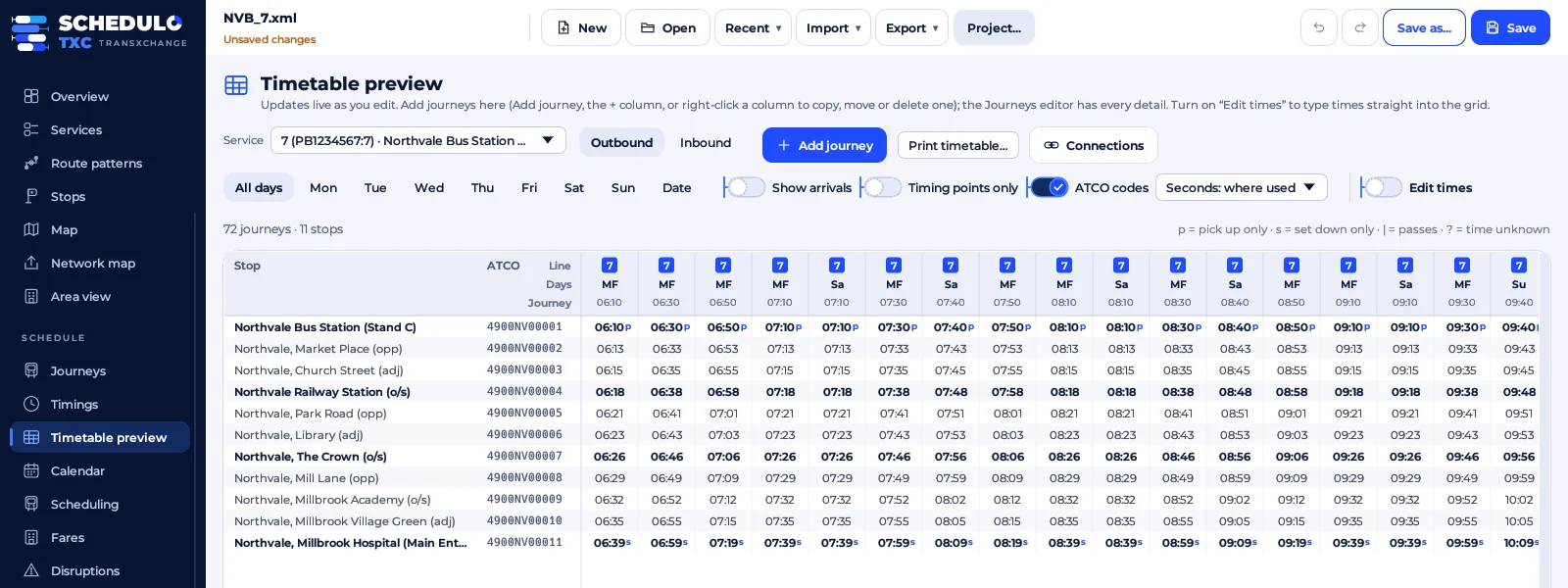
- Vehicle journeys: each individual departure, with its start time and the days it runs.
- Operating profiles: the days a journey runs and doesn't run, such as Monday to Friday, school days only, or not on bank holidays.
Because every part is linked by reference, a single change, such as a new stop or a later running time, flows through every journey that uses it.
TransXChange versions: 2.1, 2.4 and 2.5
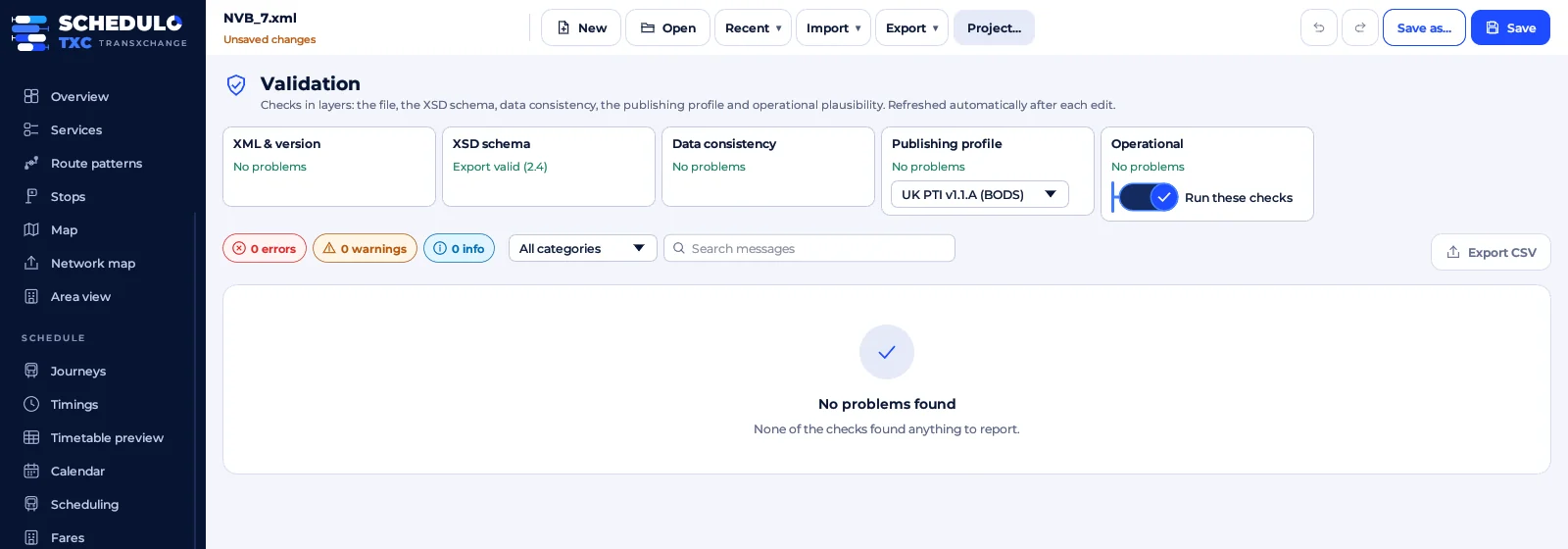
TransXChange has been revised several times. Versions 2.4 and 2.5 are the ones in everyday use today, though you may still come across older 2.1 files. BODS expects timetables to follow the UK PTI (Public Transport Information) profile, a set of extra rules on top of the schema that make files consistent enough for passenger information.
A file can be valid against the schema and still fail the PTI checks, for example because a stop code isn't in NaPTAN or a journey's days are ambiguous. Checking against both before you publish saves a lot of back and forth.
Tip: keep the files your software exports exactly as standard TransXChange. If your tool can only read its own files, you'll find it hard to move to anything else later.
Who uses TransXChange
- Bus operators create the files for registration and for BODS.
- Traffic Commissioners receive electronic bus service registrations.
- Local transport authorities use them to check registrations and run journey planners and stop displays.
- Journey planners and apps read timetables from BODS, which publishes the files operators upload.
How to open, edit and check TransXChange files
TransXChange is XML, so you can open it in a text editor, but it isn't meant to be edited by hand: a timetable with a few hundred journeys quickly runs to thousands of lines, and one wrong reference breaks the file. You need TransXChange software that shows the timetable as a timetable, and writes the XML for you.
Schedulo TXC opens any TransXChange 2.4 or 2.5 file, whatever software made it, shows it as routes, stops, maps and timetables, and checks it against the schema and the UK PTI profile before you publish. Everything it doesn't edit is kept exactly as it was.
Official sources
- TransXChange on GOV.UK: the schema, guides and examples.
- Publish bus open data: what operators in England must publish.
Ready to plan smarter?
Ask for a demonstration, a trial or a licence key, or tell us what your operation needs. Every message goes to the right person at Newey Transport Services, and we reply by e-mail.
- Demonstrations and general questions
- ContactUs@schedulo.uk
- Licence keys and renewals
- Licence@schedulo.uk
- Help with Schedulo TXC, Bus or licensing
- Support@schedulo.uk
- News and updates
- Follow Schedulo on LinkedIn