


Current version 0.1.5 · Windows 10 and 11, or a browser
Every coach job, planned in one place.
Schedulo Coach is coach hire and scheduling software for UK operators: private hire, school and works contracts, tours and rail replacement. Drag each job onto a driver and a coach, let the checks catch the clashes, and see what every job, and every coach, really earns.
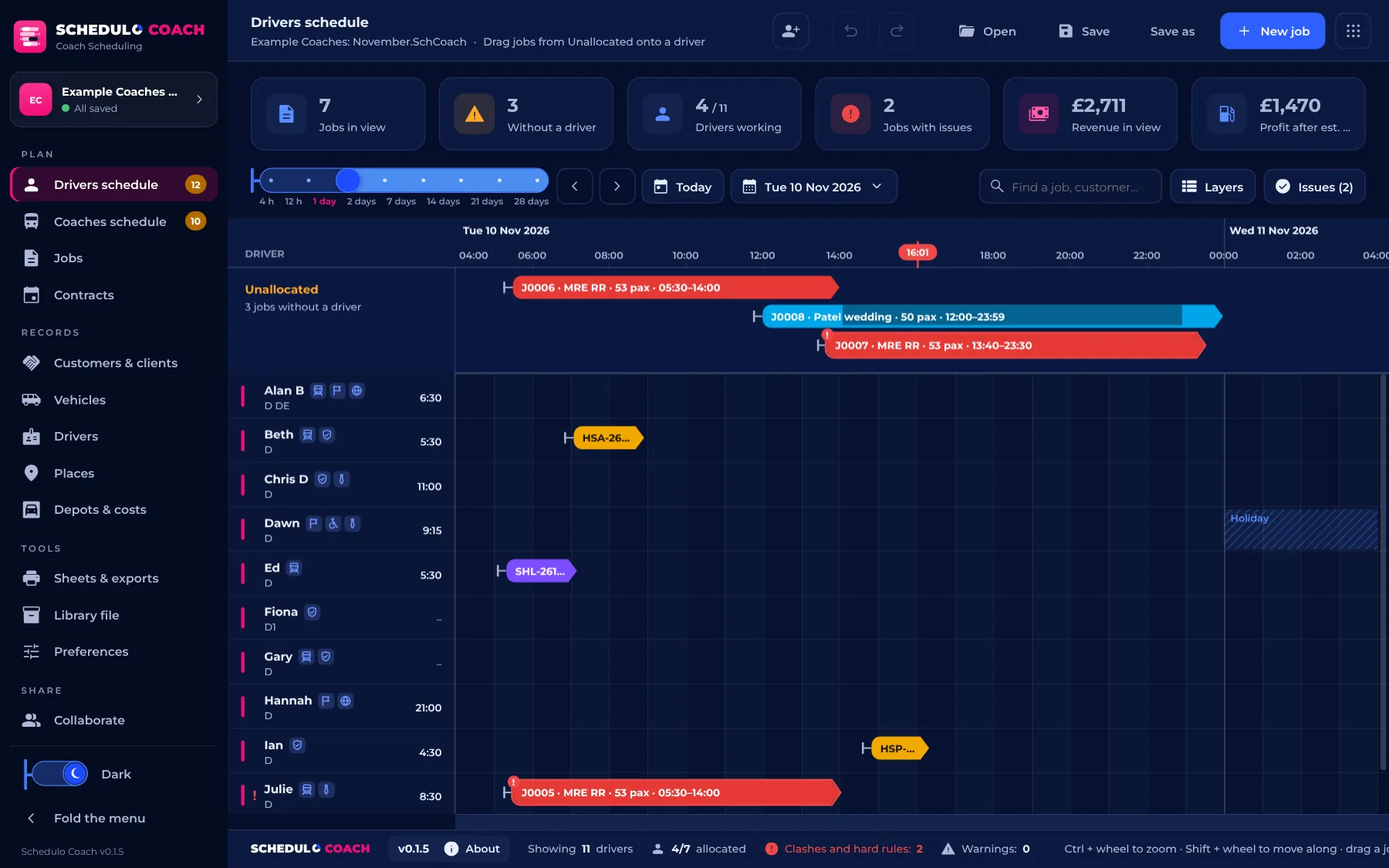
Schedulo Coach in brief.
Schedulo Coach on video.
Private hire, contracts, tours and rail replacement: every job's coach, driver, price and profit in one place.
The video plays from YouTube (privacy-enhanced mode). Nothing is loaded from YouTube until you press play.
From the booking to the driver's work ticket.
Coach work isn't a timetable that repeats every week. Schedulo Coach is built around the job: one booking, with its own itinerary, times, coach, driver and price.
Take the job
A private hire, a school or works contract, a tour or a rail replacement call, with its pick-ups on the map and its price.
Allocate a coach
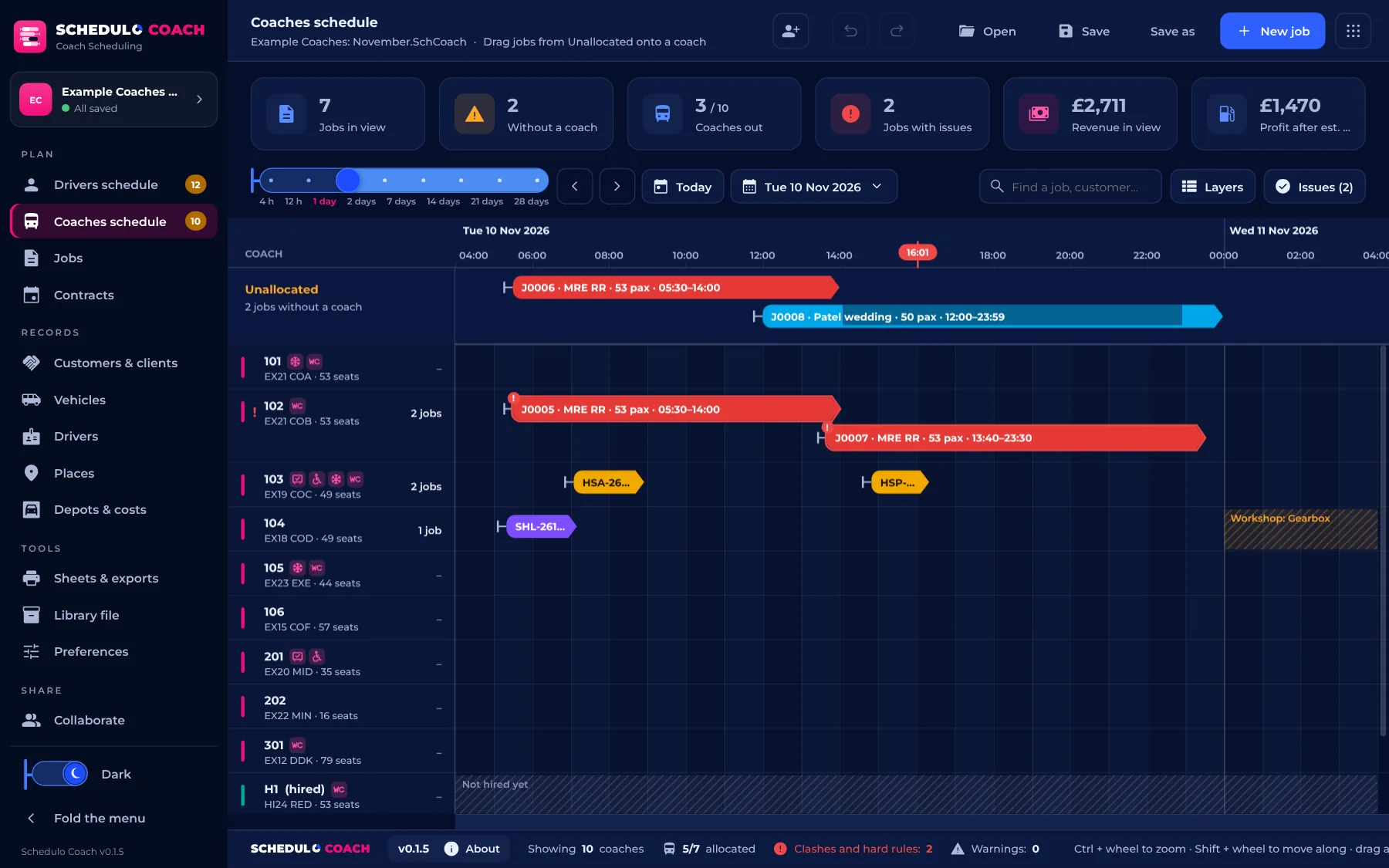
Drag it from Unallocated onto a coach. Star ratings show which suit it best, and clashes are flagged.
Allocate a driver
Someone free, with the right skills, inside the drivers' hours you've set.
Send it out
Run-out sheet for the office, work tickets for the drivers and a confirmation for the customer.
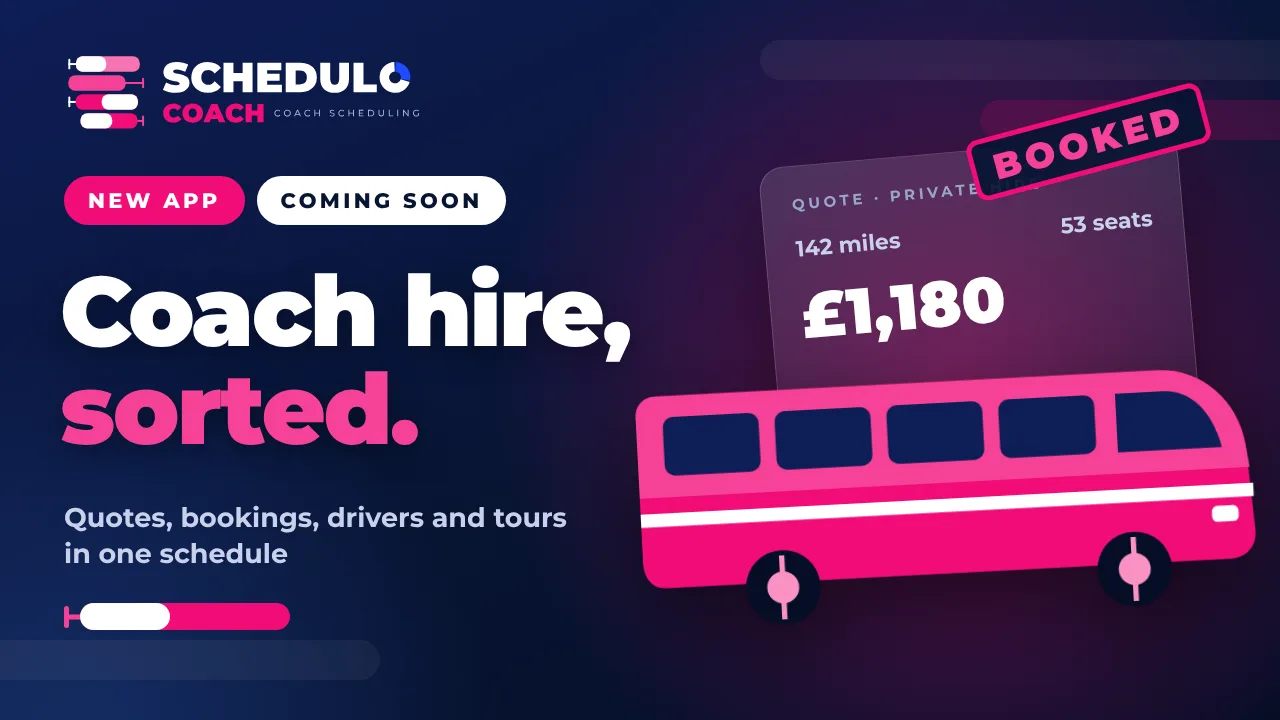
Drag, drop and done.
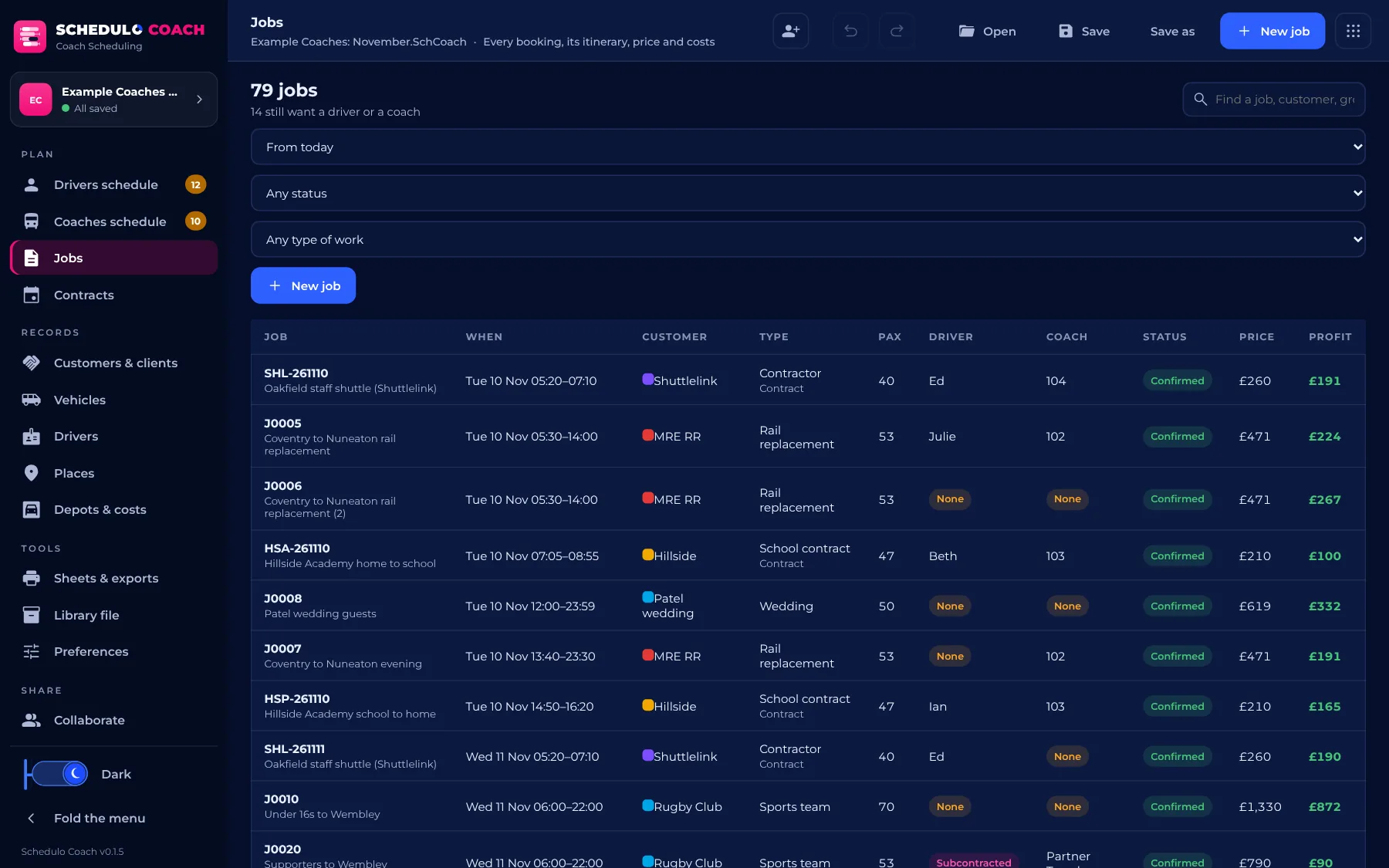
Every job for the day or the month on one timeline, by driver or by coach, with the jobs still to cover at the top.
- Unallocated holds every job without a driver or a coach until it's dragged onto one.
- From 4 hours to 28 days on screen, with a zoom slider, scrolling and a calendar day picker.
- Star ratings for each driver and coach on a job: the right size and kind of vehicle, the right skills, free at the right time.
- Checks both ways: a driver in two coaches too close together, a coach with two drivers, someone unavailable, or over the drivers' hours, with the rules that stop an allocation chosen in Preferences.
- Split a job between drivers at a change-over, and join it back up.
- Staff cars take drivers to and from their coaches, and the "+" on a driver's day adds breaks, standby, yard duties, vehicle checks or training.
- Badges for each coach's features (PSVAR, wheelchair access, air conditioning, toilet) and each driver's skills (DBS checked, tours, continental, executive).
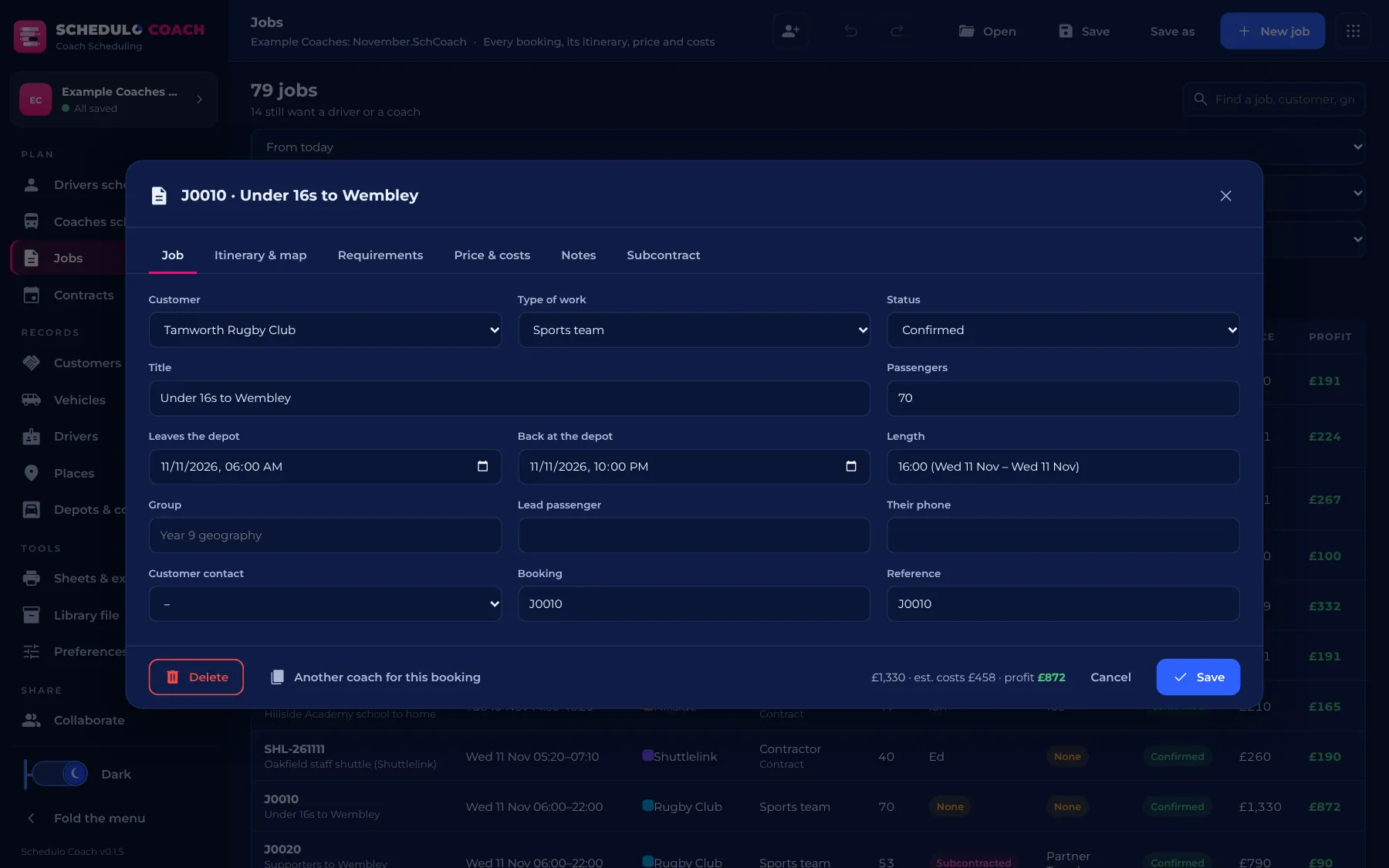
Every kind of coach work.
Each job keeps its customer, times, passengers, itinerary, requirements, price and notes together.
- Itineraries on OpenStreetMap, with times estimated for each leg and breaks added on long trips. Free place search, no key or account.
- Requirements: the kind of vehicle (coach, executive, midi, minibus, double decker coach or bus), seats, features and driver skills.
- Contracts make their jobs on the days they run, ticked or left out on a calendar, with school and bank holidays from Preferences.
- Subcontract a job to a partner, or hire in a coach, kept on record with its cost.
- Records: customers and clients in coloured categories, vehicles (own and hired in, mpg, documents, time off the road), drivers (licences, unavailable days, hired and agency) and places.
- A library file carries your vehicles, drivers, customers, places, sheet templates and preferences into each new project.
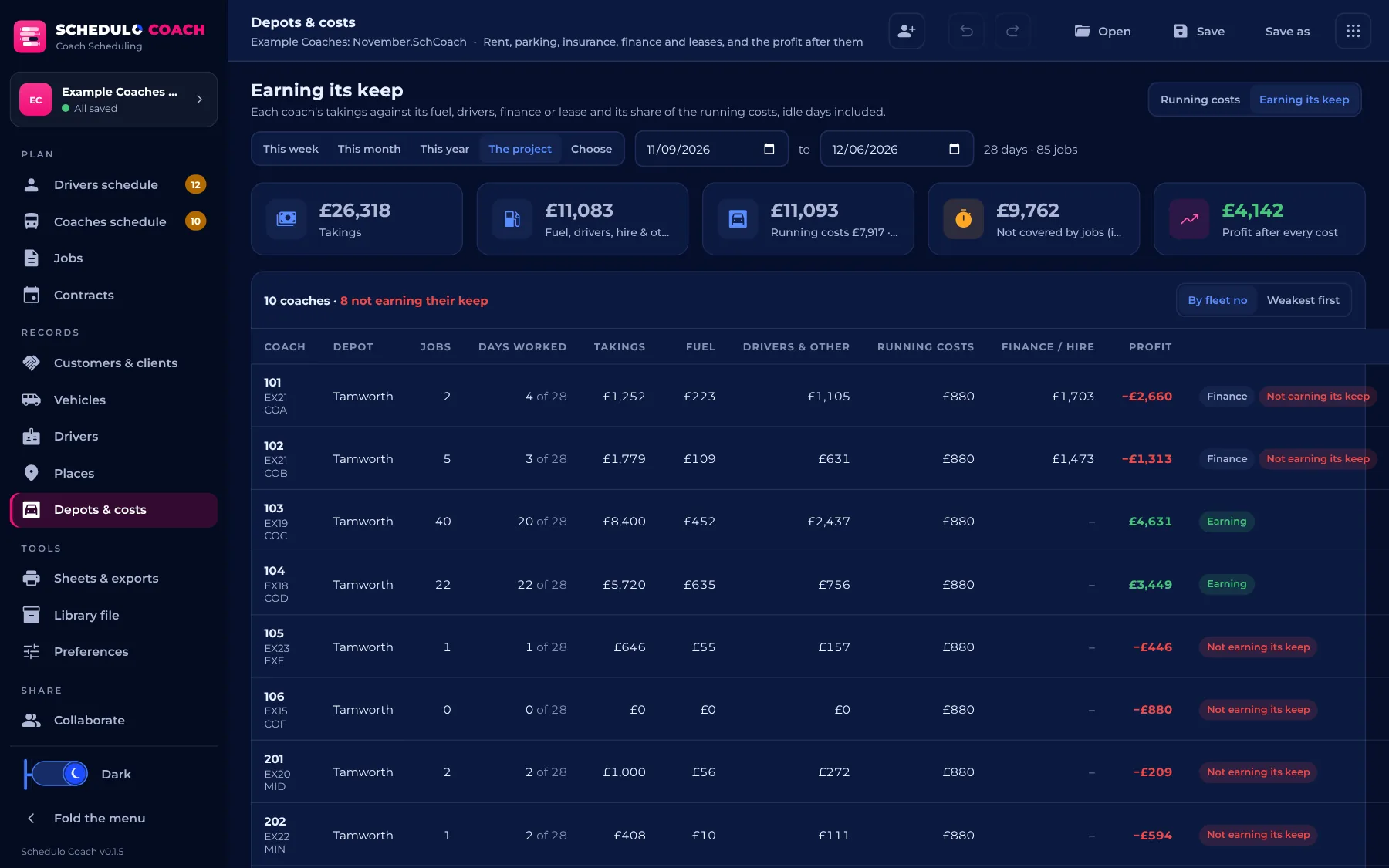
Know what every job, and every coach, earns.
Profit shows wherever the price does: in the jobs and contracts lists, on each job, and on the scheduling views.
- Fuel from each coach's mpg, and drivers at your hourly rate, or paid by the shift with the least a shift pays.
- Depots and running costs: rent, parking, insurance, business rates and office costs, weekly, monthly, quarterly or yearly, shared fairly over the jobs.
- Finance and leases on each coach, shared over its own jobs.
- Earning its keep: each coach's takings against everything it costs, idle days included, for this week, month, year or any dates.
- All optional: leave the costs out and profit is the price less fuel and drivers.
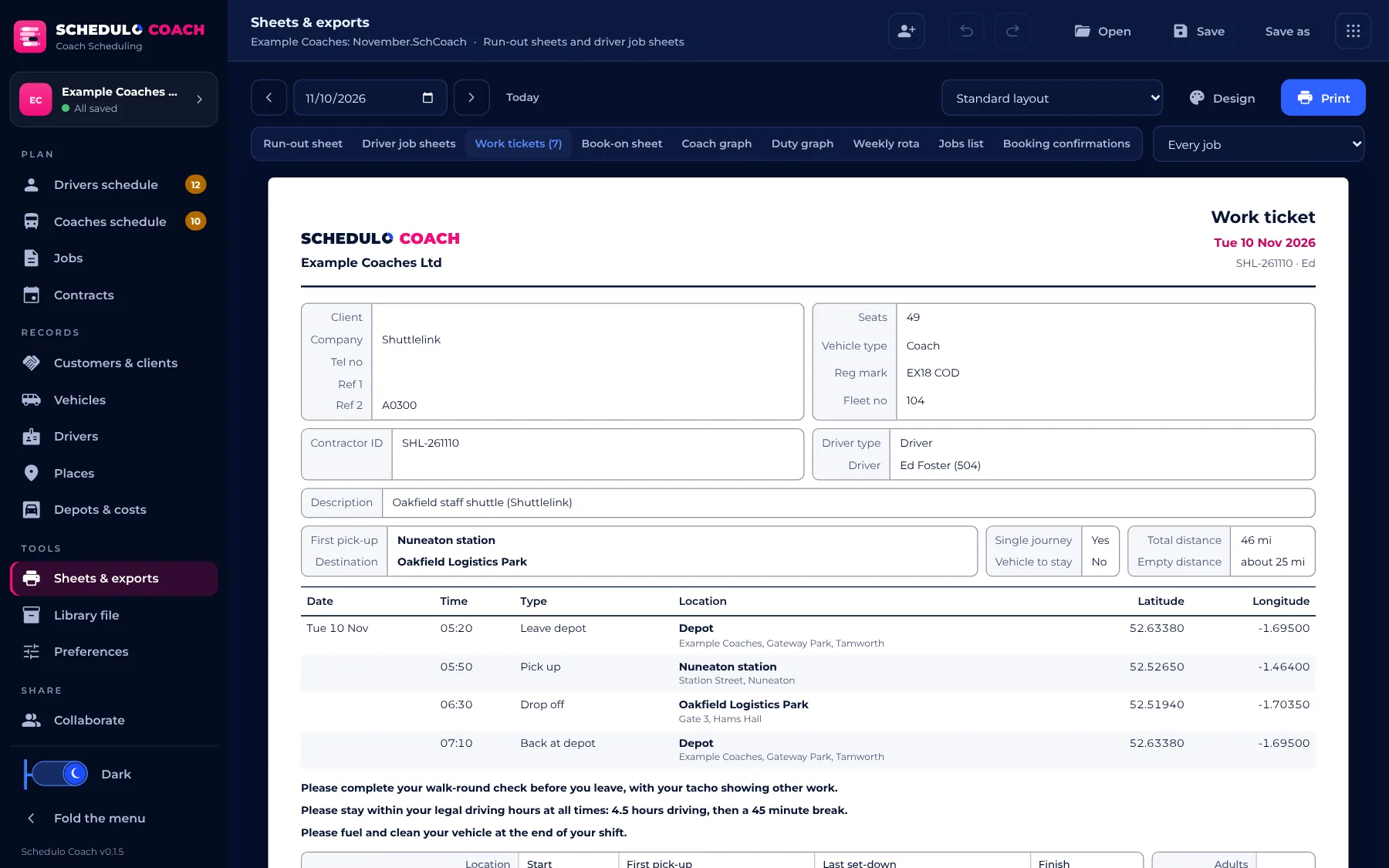
Paperwork your drivers and customers will recognise.
Print them, save them as PDF, or download them as CSV.
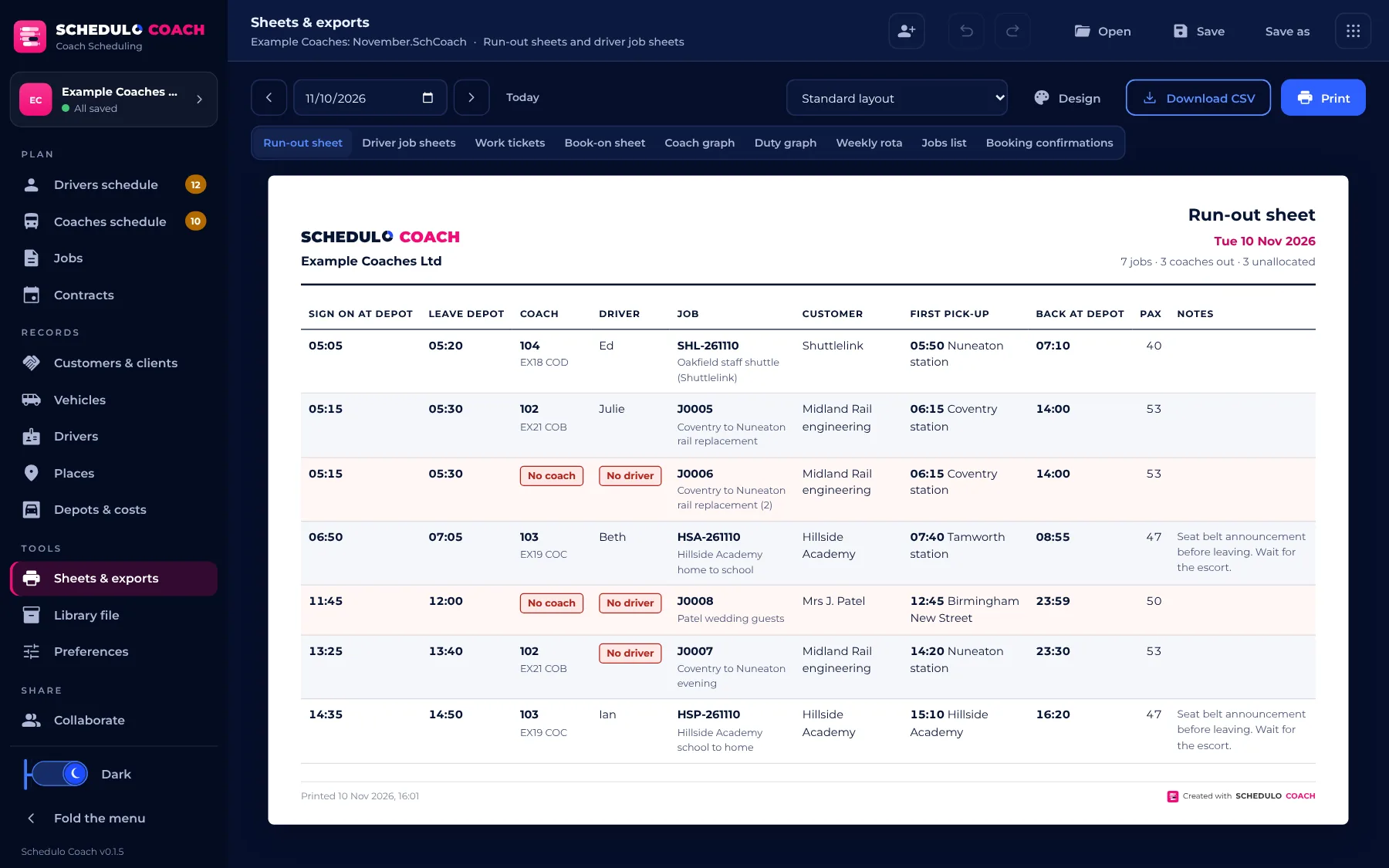
- Run-out sheet with every time: sign on, leave the depot, first pick-up, last drop-off and back at the depot.
- Work tickets laid out as coach operators' tickets are: client, coach, driver, itinerary with latitude and longitude, instructions, and boxes for times, tacho readings and passengers.
- Driver job sheets, a book-on sheet, the weekly rota and a jobs list.
- Coach and duty graphs over 1 to 31 days, coloured by kind of job, customer or status.
- Booking confirmations for each customer, with the price, your message and terms.
- Design your own: columns, headings, your logo, colours, paper size and watermark, saved as templates and shared as
.SchCoachSheetfiles.
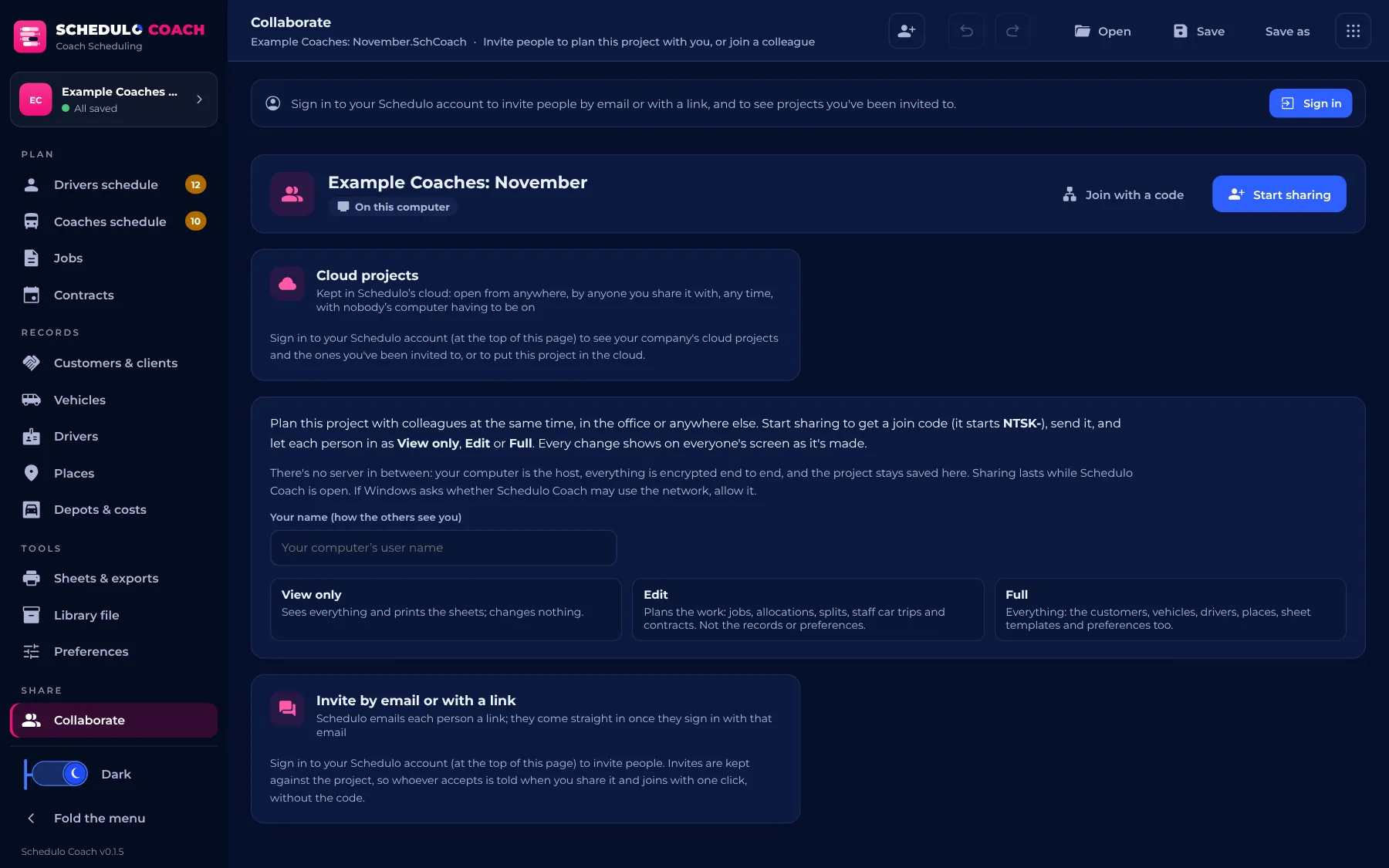
The whole office, on the same plan.
Plan with colleagues at the same time, in the office or anywhere else, as in Schedulo Bus and Schedulo TXC.
- One join code (
NTSK-), peer to peer and encrypted end to end, with no server in between. - You decide who does what: View only, Edit (the work) or Full (the records and preferences too).
- Invite by email or with a link when you're signed in to your Schedulo account.
- Cloud projects (when your company's plan includes them): the project lives in Schedulo's cloud, for everyone it's shared with to open from anywhere, any time, with nobody's computer having to be on.
- The desktop app and the browser work together both ways.
Built to work with the apps you already know.
Schedulo Coach shares its look, its licence keys, your Schedulo account and its way of working together with the rest of Schedulo.
 TXCRegistered timetables
 BUSBus scheduling
 LICENCE MANAGEROne key for several apps
 COACHCoach scheduling
 ROSTERCrew rostering
In practice
What you need to use Schedulo Coach.
The practical marks
- Windows 10 or 11, or a modern browser
- One .exe in a zip, no installer
- Maps and place search from OpenStreetMap, free
- Works offline for 7 days once the key is approved
- Save writes straight back to your file (Ctrl+S)
- Share with a join code, or in the cloud
- A light or dark look
Up and running
- Unzip and run, or open the browserRun Schedulo Coach from the zip, or open coach.schedulo.uk.
- Sign in or add your keySign in to your Schedulo account, or type the Coach key we send you. No key yet? E-mail Licence@schedulo.uk.
- Set up your recordsTry the example company first, then add your coaches, drivers, customers and places, or bring them in from a library file.
- Plan and printTake the jobs, drag them onto coaches and drivers, and print the run-out sheet and work tickets.
Schedulo Coach is here.
The newest app in the Schedulo family, and updated all the time. Each new version is announced on our News page.
Read Schedulo Coach is here for everything in the first release.
A look inside Schedulo Coach.
Pick a screen. Real screenshots of the app, with a made-up coach firm.
About Schedulo Coach.
How do I get Schedulo Coach?
Ask us for a demonstration or a trial key at ContactUs@schedulo.uk, or for a licence key at Licence@schedulo.uk. If your company's Schedulo plan includes Coach, just sign in to your Schedulo account.
Do I need Schedulo TXC or Schedulo Bus?
No. Schedulo Coach works on its own, with its own projects. If you run registered bus services too, Schedulo TXC and Schedulo Bus plan those, with the same look, keys and account.
Will it need another licence?
It has its own licence label, COACH. One Schedulo licence key can cover several products, so Coach can be added to the key you already have.
Can I use it in a browser?
Yes. The web version at coach.schedulo.uk is the same app, with nothing to install. Your project is kept in the browser after every change, and Save and Open use the same .SchCoach files as the desktop app.
Can I try it without entering my own data?
Yes. Schedulo Coach opens with an example company, a small coach firm with its coaches, drivers, customers, contracts and a fortnight of work, so you can try everything first.
See Schedulo Coach for yourself.
Tell us about your coach work and we'll show you Schedulo Coach with jobs like yours, or send you a trial key.
- Demonstrations and general questions
- ContactUs@schedulo.uk
- Trials and licence keys
- Licence@schedulo.uk
- Help with Schedulo TXC, Bus, Coach or licensing
- Support@schedulo.uk
- News and updates
- Follow Schedulo on LinkedIn