

Using NaPTAN stop data.
Every bus stop in a TransXChange file comes from NaPTAN. Here's how to read it, and how to use it well in Schedulo TXC.
What NaPTAN is
NaPTAN, the National Public Transport Access Nodes database, lists every place in Great Britain where you can get on or off public transport: bus stops, bus station stands, rail and tram stations, ferry terminals and more. The Department for Transport publishes it as open data, and each local transport authority keeps the stops in its own area up to date.
Its companion, the National Public Transport Gazetteer (NPTG), lists the places themselves: regions, administrative areas and localities. Every stop belongs to a locality, which is how a stop called Broadway in Chadderton is told apart from every other Broadway.
It matters because a TransXChange file refers to every stop by its NaPTAN code, BODS expects each one to be a real, active NaPTAN stop, and journey planners match your timetable to stops by the same codes.
Reading an ATCO code
The ATCO code is a stop's permanent identifier, unique across Great Britain, such as 1800NB04161. The first three digits are the ATCO area code of the authority that owns the stop (180 is Greater Manchester, 430 the West Midlands, 490 London); the rest is the authority's own numbering. Never make a code up: a code that isn't in NaPTAN isn't a stop as far as BODS is concerned.
Many stops also have a short NaPTAN code (the SMS code) printed on the flag, for passengers to text or type into apps. TransXChange always uses the ATCO code.
Stop types
- BCT: an on-street bus stop. Almost every stop on a route. Its bus stop type says whether it's marked (a flag or shelter), custom (an agreed, unmarked spot), hail and ride or a flexible zone.
- BCS: a bay or stand in a bus or coach station, such as Middleton Bus Station, Stand C. BCQ is a bay allocated on the day.
- BCE and BST: a bus station's entrance and the station as a whole. Buses don't call at these; use the bays.
- Rail (RSE, RLY, RPL), tram and metro (TMU, MET, PLT), ferry, airport and taxi rank types: a bus serving one stops at the on-street or station stop outside.
Indicators and bearings
Stops usually come in pairs with the same name, one each side of the road. The indicator places each one (opp, adj, o/s, Stop A, Stand 3) and the bearing gives the direction of travel at the stop, to one of eight compass points. Check the bearing against your direction: an inbound route calling at the outbound stop is one of the commonest mistakes in a new file.
The rest of a row gives the street, landmark and nearest crossing, the locality and its parent, the position (latitude and longitude, and the British National Grid reference) and the status: active, inactive, pending or deleted.
Download your area in Schedulo TXC
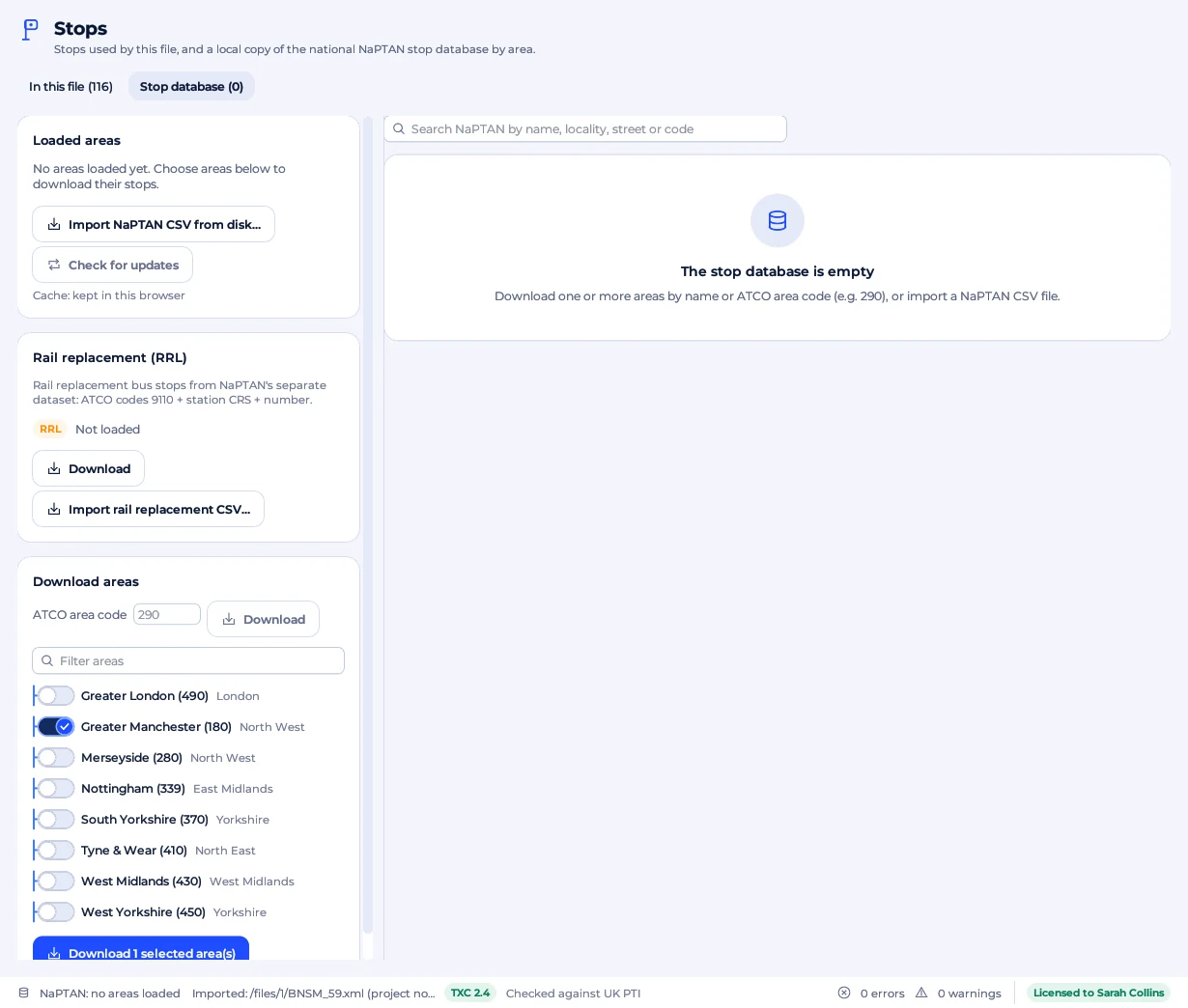
Schedulo TXC keeps a local copy of NaPTAN, one area at a time, so searching is instant and works offline. On Plan › Stops, open the Stop database tab, press Load list of areas, switch on the areas your routes run in and press Download. Or type an ATCO area code. Working offline? Import NaPTAN CSV from disk reads a file saved from the NaPTAN website.
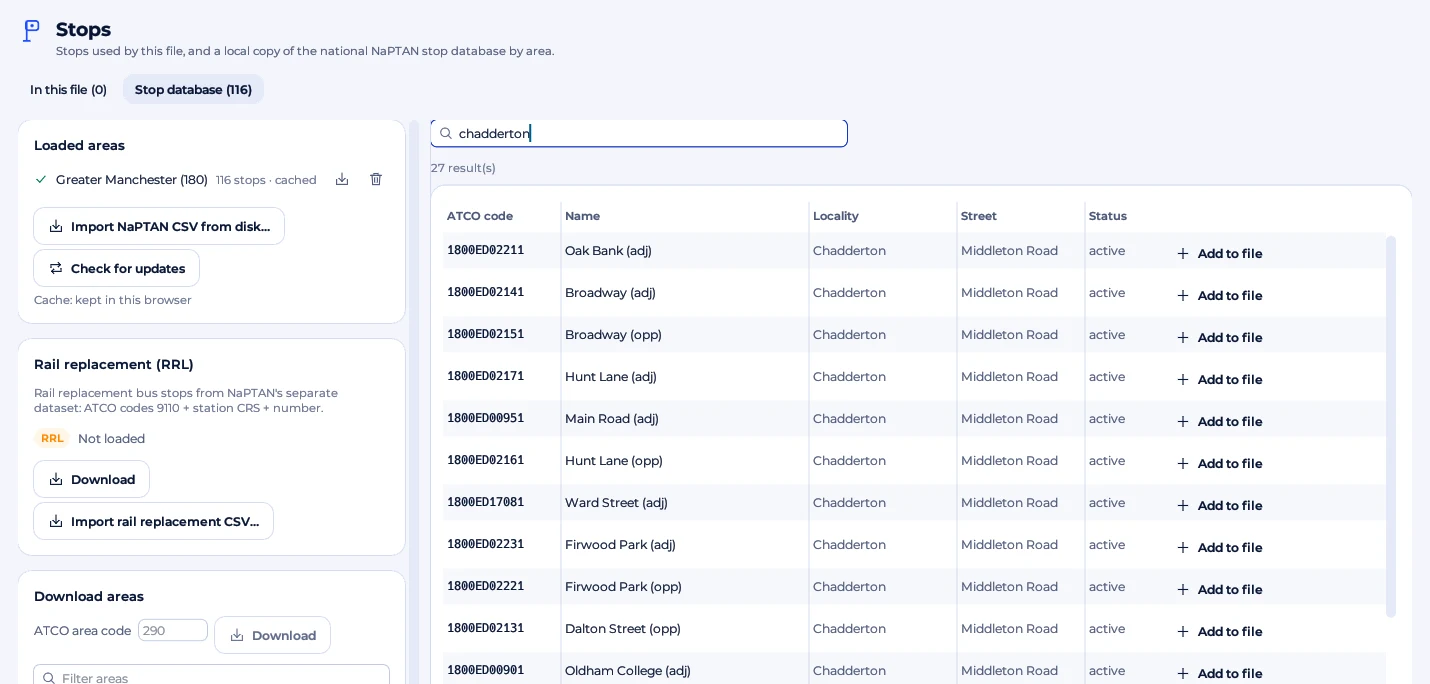
Find a stop and add it
The search looks through every loaded stop by name, locality, street, indicator, ATCO code and NaPTAN code. Add to file copies the stop into the file with its code, name and position; with a route pattern chosen, you can add it straight to the end of the pattern. When building a route, the Add stop box on the Route patterns page uses the same database.
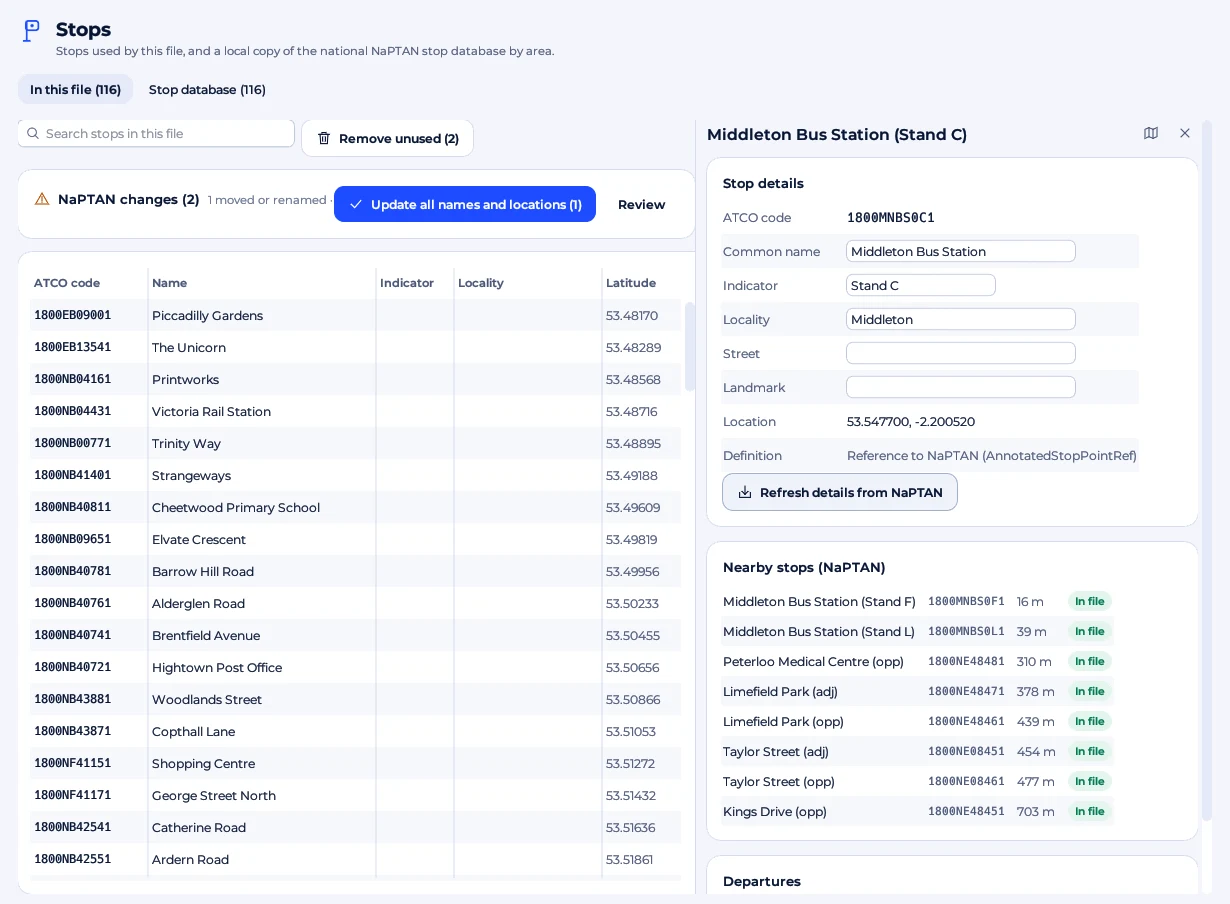
On the In this file tab, click a stop to see its details, the nearest NaPTAN stops and its departures. Refresh details from NaPTAN brings one stop up to date, and Fill coordinates from NaPTAN adds the positions many BODS files leave out.
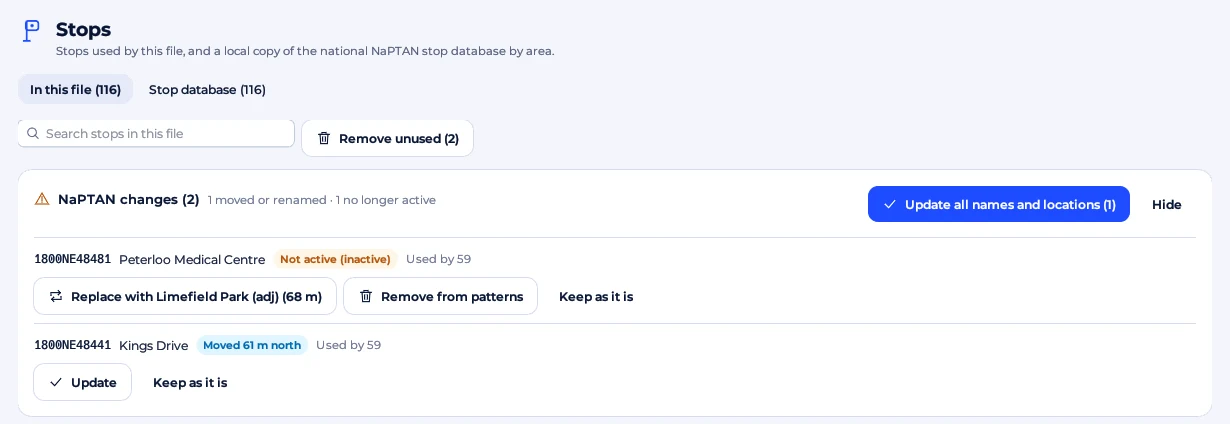
Keep up to date
Stops move, get renamed and close. The NaPTAN changes card compares the stops in your file with the database: Update takes NaPTAN's name and position, an inactive stop can be replaced by the nearest active one, and Keep as it is leaves the file alone. Check for updates downloads your areas again and shows what changed before anything is used. Rail replacement stops come from NaPTAN's separate RRL set.
Tip: a stop that isn't found, an empty map or a skipped BODS stop check usually means an area isn't loaded. A route that crosses a boundary needs every area it touches.
Ready to plan smarter?
Ask for a demonstration, a trial or a licence key, or tell us what your operation needs. Every message goes to the right person at Newey Transport Services, and we reply by e-mail.
- Demonstrations and general questions
- ContactUs@schedulo.uk
- Licence keys and renewals
- Licence@schedulo.uk
- Help with Schedulo TXC, Bus, Coach or licensing
- Support@schedulo.uk
- News and updates
- Follow Schedulo on LinkedIn